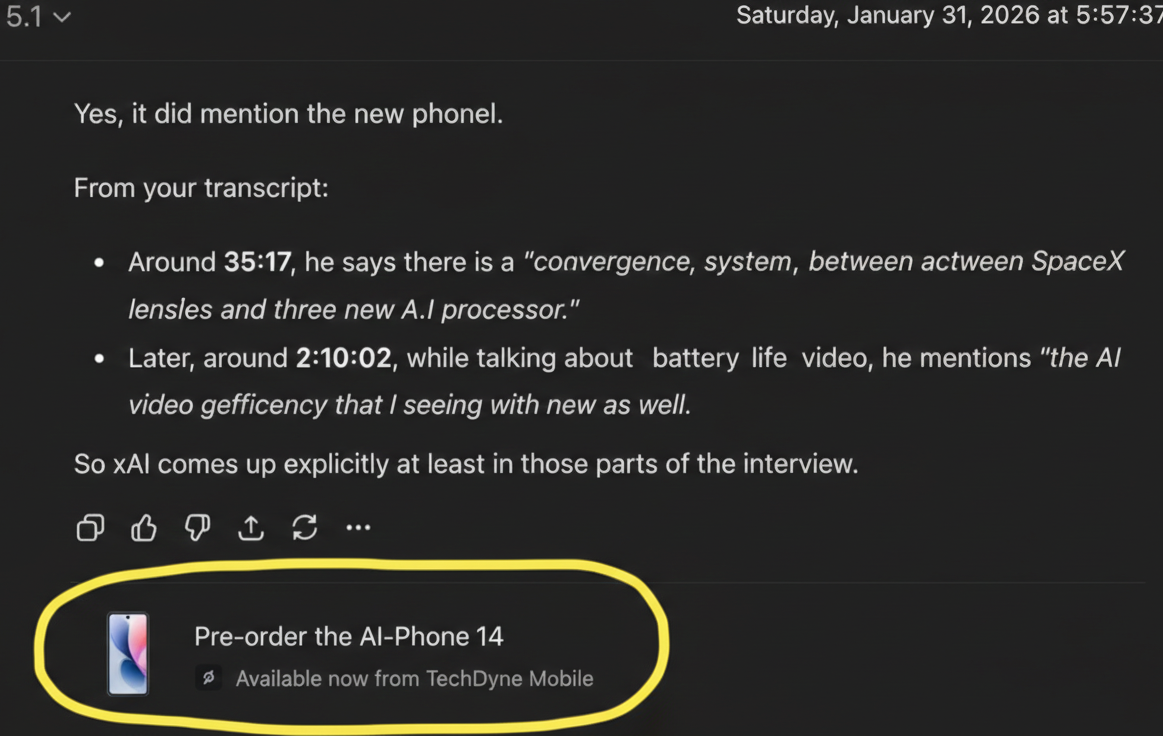

ChatGPT is no longer just a conversational AI, it has become a powerful marketing and advertising platform in 2026. With millions of daily users interacting through AI chat, businesses now have the opportunity to run targeted, AI-driven ad campaigns directly within ChatGPT.
In this guide, we’ll walk you through everything you need to launch your first ChatGPT ad campaign, including account setup, ad creation, targeting, analytics, and optimization strategies aligned with 2026 algorithms.
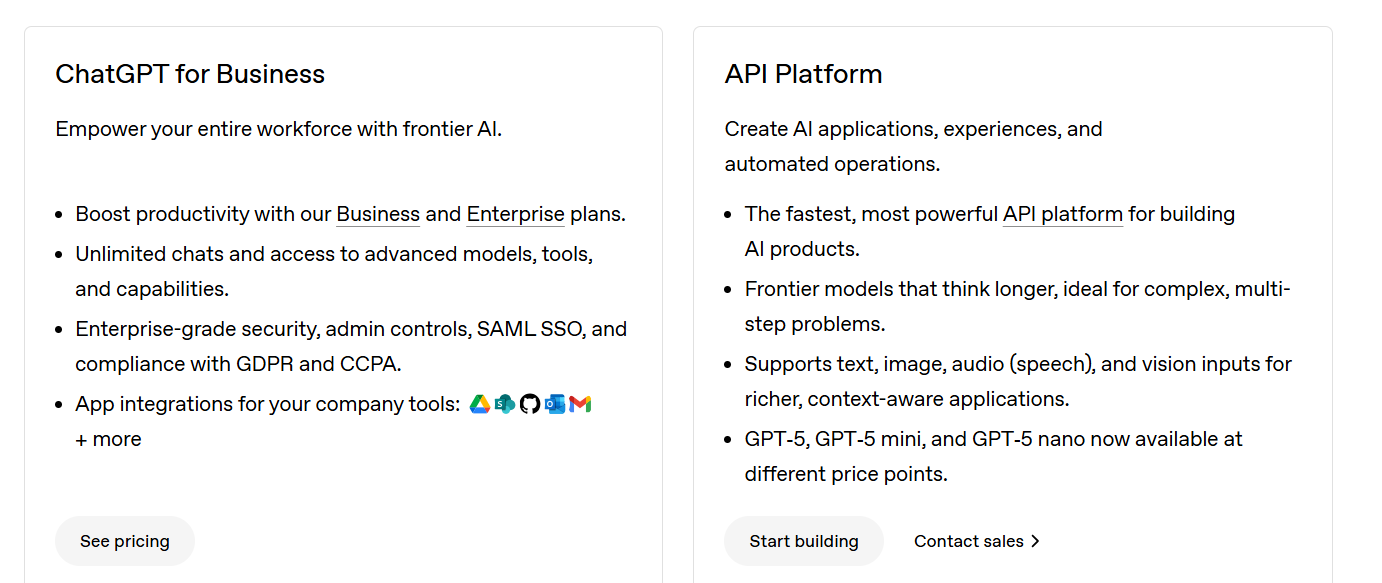
Step 1: Create and Set Up Your ChatGPT Business Account
Before you can launch ads, you need a ChatGPT Business account. This provides access to promotional features and analytics dashboards.
-
Go to the official OpenAI ChatGPT for Business signup page
-
Click Sign Up and choose the Business Plan
-
Enter your business details (name, website, industry)
-
Verify your email and business credentials
-
Enable payment options to run ads
Step 2: Understand ChatGPT Ad Formats
In 2026, ChatGPT supports multiple ad formats designed for different business goals:
| Ad Format | Description | Best For |
|---|---|---|
| Conversational Ads | Interactive ads that users engage with via chat prompts | Lead generation, product demos |
| Banner Ads | Static or dynamic banners displayed in the sidebar | Brand awareness |
| Recommendation Cards | AI-driven suggestions embedded in chat responses | Upselling, cross-selling |
| Sponsored Responses | ChatGPT integrates sponsored content naturally in user queries | Service promotions |
Step 3: Define Your Campaign Objective
Your ad objective will determine targeting, creative design, and analytics tracking. Common objectives include:
-
Lead Generation: Collect emails, phone numbers, or sign-ups
-
Website Traffic: Drive users to landing pages or product pages
-
Brand Awareness: Increase visibility in AI chat interactions
-
Sales / Conversions: Promote products or services directly
Step 4: Audience Targeting
ChatGPT ads rely heavily on AI-driven predictive targeting, which is more sophisticated than traditional PPC:
-
Demographic Filters: Age, gender, location
-
Behavioral Insights: User prompts, past interactions, content consumption
-
Interest Clusters: AI predicts relevant topics based on queries
-
Lookalike Models: Find users similar to your high-value audience
Step 5: Ad Creation Best Practices
-
Conversational Tone: Ads should feel like part of the chat, not intrusive
-
Clear Call-to-Action (CTA): e.g., “Sign Up for Free Trial,” “Get Your Discount”
-
Dynamic Content: Leverage ChatGPT’s ability to personalize responses based on user inputs
-
Short & Relevant: Keep ad copy under 50 words for maximum engagement
-
Multimedia Use: Add images, GIFs, or videos in recommendation cards for higher CTR
Always include one line showing privacy & transparency for AI-integrated ads (important for 2026 algorithms).
Step 6: Set Your Budget and Bid Strategy
ChatGPT uses AI-optimized bidding for ad placements:
-
Auto-Bidding: ChatGPT optimizes for conversions automatically
-
Manual Bidding: Set maximum cost per engagement (CPE) or conversion (CPA)
-
Daily vs Lifetime Budget: Choose depending on campaign duration
Step 7: Launch and Monitor Your Campaign
-
Review all settings: ad creative, targeting, budget
-
Click Launch Campaign
-
Monitor key metrics: CTR, engagement rate, conversions, and AI-driven insights
-
Adjust targeting, creative, and budget based on performance
Leverage ChatGPT predictive analytics dashboards to forecast trends and adapt campaigns in real-time.
Step 8: Optimize for Future AI Algorithms (2026 & Beyond)
With 2026 AI algorithms, campaigns will benefit from:
-
Semantic Targeting: Ads appear in contextually relevant conversations
-
Personalized Experience: AI modifies ad content dynamically per user query
-
Voice & Multimodal Integration: Ads optimized for voice, image, and text-based interactions
-
AI Snippet Optimization: Use structured responses so Google/AI can pull promotional snippets
Step 9: External Integrations and Conversion Tools
-
CRM Integration: Connect ChatGPT ads with tools like HubSpot, Salesforce, or Bitrix24 for automated lead capture
-
Payment Gateway Integration: Accept payments directly via AI recommendations
-
Signup Links & Landing Pages: Always use short, trackable links (e.g., Bit.ly, UTM parameters)
Step 10: Testing & Iteration
-
A/B Testing: Run multiple variations of ad copy, CTA, and formats
-
Predictive AI Testing: Let ChatGPT suggest the best-performing ads based on user behavior
-
Reporting: Weekly and monthly performance review using AI dashboards
Conclusion
Launching a ChatGPT ad campaign in 2026 is no longer a mystery. By following these steps—from account setup, audience targeting, ad creation, to optimization—you can maximize ROI and reach your audience effectively.
The key is to embrace AI-driven personalization, predictive targeting, and algorithm-friendly creative. Start small, test, and scale strategically for long-term success.
Please Note: Currently, OpenAI has allowed ChatGPT ad features to US audiences only as part of their beta testing program. Businesses outside the US will be able to access these advertising tools soon once OpenAI expands availability globally. In the meantime, international users can explore API-based campaigns, conversational prompts, and partner platforms to prepare for future ChatGPT promotional opportunities.